-
Install dependencies
sudo apt update
sudo apt install build-essential libpcre3 libpcre3-dev libssl-dev zlib1g-dev -
Download and compile Nginx and RTMP modules:
cd /usr/local/src
wget http://nginx.org/download/nginx-1.24.0.tar.gz
wget https://github.com/arut/nginx-rtmp-module/archive/master.zip
tar -zxvf nginx-1.24.0.tar.gz
unzip master.zip
#Go to the Nginx source code directory and configure the compilation options, and add the RTMP module:
cd nginx-1.24.0
./configure --with-http_ssl_module --add-module=../nginx-rtmp-module-master
make
sudo make install
3.Configure Nginx to use the RTMP module::
1. Confirm whether Nginx is installed successfully
/usr/local/nginx/sbin/nginx -v
  1. Edit the /usr/local/nginx/conf/nginx.conf file and add the RTMP configuration at the end of the file:
rtmp {
    server {
        listen 1935;
        chunk_size 4096;

        application live {
            live on;
            record off;
        }
    }
}
- Start Nginx
/usr/local/nginx/sbin/nginx - Verify the RTMP streaming service
netstat -anp | grep 1935
Code:
import sys, os, time
import numpy as np
import cv2
from hobot_vio import libsrcampy
import subprocess

# camera
image_w = 1920
image_h = 1080
path = './path'
if not os.path.exists(path):
    os.mkdir(path)

#create camera object
camera = libsrcampy.Camera()
ret0 = camera.open_cam(0, -1, 30, image_w, image_h)
if ret0!=0:
    print(f"Error: Operation failed with return code {ret0}. Please check the issue!")
    sys.exit(1)
else:
    print("Open camera OK !!!")

# Encode
#create encode object
encode = libsrcampy.Encoder()

#enable encode channel 0, solution: 1080p, format: H264
ret1 = encode.encode(0, 1, image_w, image_h)
if ret1!=0:
    print(f"Error: Operation failed with return code {ret1}. Please check the issue!")
    sys.exit(1)
else:
    print("Open encode OK !!!")

# Start FFmpeg process for streaming to RTMP
ffmpeg_command = [
    "ffmpeg",
    "-re",  # Read input at native frame rate
    "-i", "pipe:0",  # Read input from stdin (pipe)
    "-c:v", "copy",  # Encode to H.264
    "-f", "flv",  # Output format FLV (for RTMP)
    "rtmp://localhost/live/stream"  # RTMP server URL
]
process = subprocess.Popen(ffmpeg_command, stdin=subprocess.PIPE)

i = 0
while True:
    i+=1
    origin_image = camera.get_img(2, image_w, image_h) # 获取相机数据流
    # origin_nv12 = np.frombuffer(origin_image, dtype=np.uint8).reshape(int(image_h*3/2), image_w)
    # print(origin_nv12.shape)

    # ret3 = encode.encode_file(origin_nv12)
    ret3 = encode.encode_file(origin_image)

    if ret3!=0:
        print(f"Error: Ecode faild {ret3}. Please check !")

    stream = encode.get_img()

    if stream is not None:
        # print("Started encoded frame to stream: %d" % i)
        # print("*"*20)

        # 推流数据到 FFmpeg 的 stdin
        process.stdin.write(stream)
        # print("Finish Pushed encoded frame to stream: %d" % i)
    else:
        print("Encode failed for frame: %d" % i)

    # add xgs
    # origin_bgr = cv2.cvtColor(origin_nv12, cv2.COLOR_YUV420SP2RGB)

    # print(origin_bgr.shape)

    # cv2.putText(origin_bgr, "[RDK]"+ str(i), (30, 60), cv2.FONT_HERSHEY_SIMPLEX, 2, (0,0,255), 2)
    # save_path = os.path.join(path,'img_'+str(i)+'.jpg')
    # cv2.imwrite(save_path, origin_bgr)
    # cv2.waitKey(1)

camera.close_cam()
encode.close()

process.stdin.close()
process.wait()
Intra-LAN stream pull test:
(base) xgs@xgs-pc:~$ ffplay rtmp://192.168.3.137/live/stream
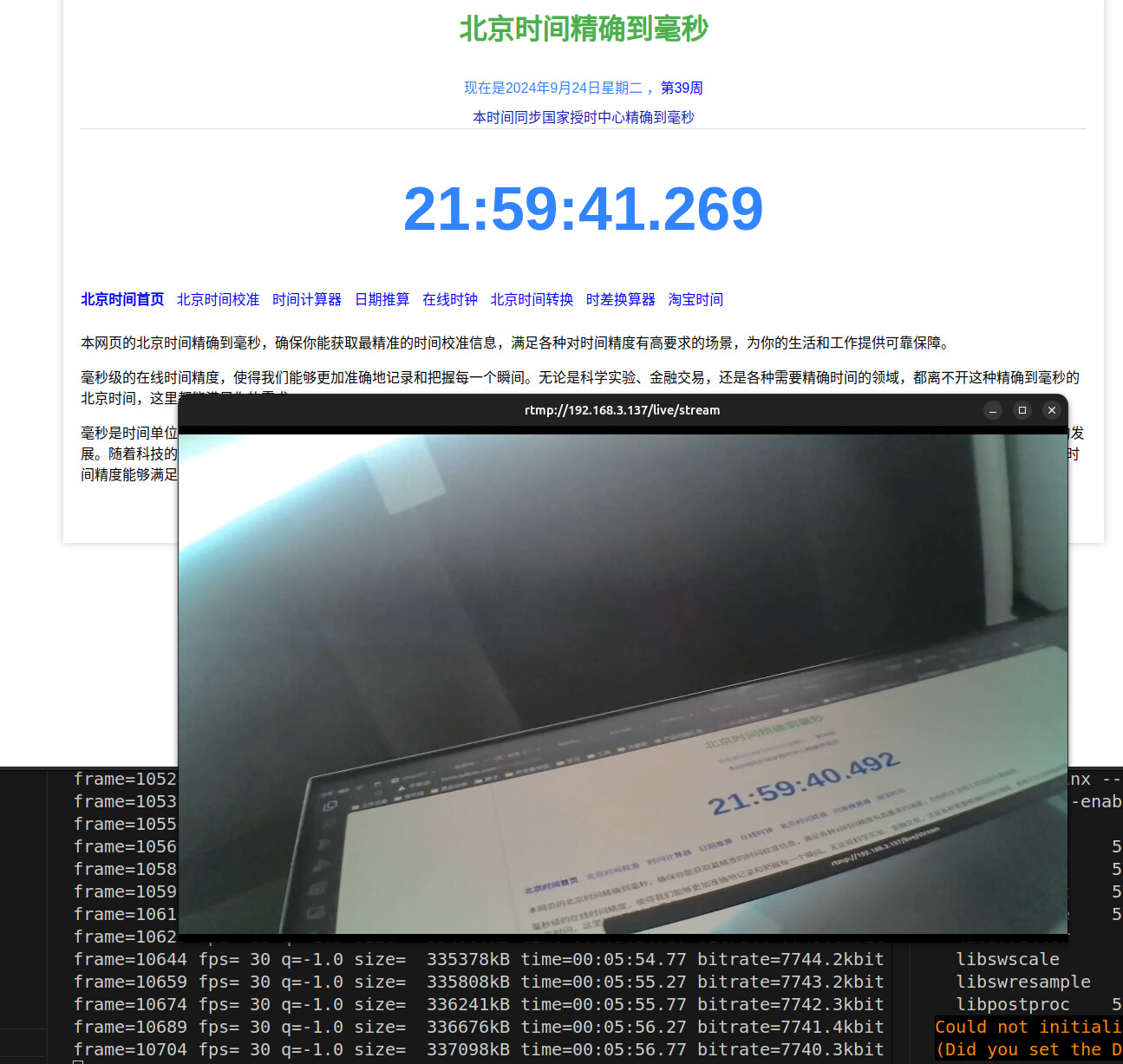
效果展示: [图片] 优化后代码,主要是两个线程,加了队列,一个取图,一个推流:
import sys
import os
import time
import queue
import threading
import cv2
import numpy as np
from hobot_vio import libsrcampy
import subprocess

# 参数设置
image_w = 1920
image_h = 1080
path = './path'
if not os.path.exists(path):
    os.mkdir(path)

# 创建队列用于线程间通信
frame_queue = queue.Queue(maxsize=3)

# 初始化摄像头
camera = libsrcampy.Camera()
ret0 = camera.open_cam(0, -1, 30, image_w, image_h)
if ret0 != 0:
    print(f"Error: Operation failed with return code {ret0}. Please check the issue!")
    sys.exit(1)
else:
    print("Open camera OK !!!")

# 初始化编码器
encode = libsrcampy.Encoder()
ret1 = encode.encode(0, 1, image_w, image_h)
if ret1 != 0:
    print(f"Error: Operation failed with return code {ret1}. Please check the issue!")
    sys.exit(1)
else:
    print("Open encode OK !!!")

# 启动 FFmpeg 进程进行 RTMP 推流
ffmpeg_command = [
    "ffmpeg",
    "-re",
    "-i", "pipe:0",
    "-c:v", "copy",
    "-f", "flv",
    "rtmp://localhost/live/stream"
]
process = subprocess.Popen(ffmpeg_command, stdin=subprocess.PIPE)

def capture_frames():
    """从摄像头获取图像并放入队列"""
    while True:
        origin_image = camera.get_img(2, image_w, image_h)  # 获取相机数据流
        if origin_image is not None:
            frame_queue.put(origin_image)  # 将图像放入队列
        else:
            print("Failed to get image from camera")

def stream_frames():
    """从队列中获取图像并推流"""
    while True:
        try:
            # 从队列中获取图像
            origin_image = frame_queue.get(timeout=1)
            ret3 = encode.encode_file(origin_image)
            if ret3 != 0:
                print(f"Error: Encode failed {ret3}. Please check!")
                continue

            stream = encode.get_img()
            if stream is not None:
                # 推流数据到 FFmpeg 的 stdin
                process.stdin.write(stream)
            else:
                print("Encode failed to generate stream")
        except queue.Empty:
            print("Frame queue is empty")

# 启动获取图像线程
capture_thread = threading.Thread(target=capture_frames)
capture_thread.daemon = True
capture_thread.start()

# 启动推流线程
stream_thread = threading.Thread(target=stream_frames)
stream_thread.daemon = True
stream_thread.start()

try:
    while True:
        time.sleep(1)  # 主线程保持运行
except KeyboardInterrupt:
    print("Exiting...")

# 关闭资源
camera.close_cam()
encode.close()
process.stdin.close()
process.wait()
